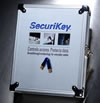
 One of my favorite Geek toys of this year is a USB Key for your Mac or PC. SecuriKey from Griffin Technologies can protect your system from unauthorized access. SecuriKey is a software program which works in combination with USB Tokens to verify access to your computer with a physical key and a password. Anyone that tries to log into your computer without the token and the password will be refused access until you allow them access.
Whether protecting highly confidential data or simply preventing unwanted use, SecuriKey makes securing any computer is as easy as putting a key into a lock. The product totally restricts access to the Macintosh OS, maintaining control of the computer while ensuring protection should the device be lost or stolen.
Setup is simple. You will need to have the installation CD along with your tokens to install SecuriKey. You will want to have a primary token key that you carry with you and then the second USB token can be kept hidden away in case you would lose the primary one. During installation the software will allow you to choose the action that your computer will perform when the token is pulled out of the USB port. You can have the system drop out to the login screen, log out the user, or shut down the computer. For multiple users, SecuriKey for Macintosh supports the creation of separate accounts. Each separately protected account requires the purchase of at least one additional token.