
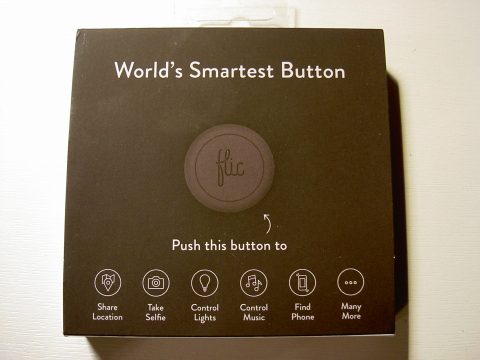

Flic is covered in a soft silicon rubber and needs a firm push down for a satisfying click – you won’t accidentally press it just by grazing the surface. There is a red LED behind the top surface of the button and it glows through the writing when required. The back of the Flic button unscrews to both change the battery and switch out the flat back for the clip version.

You then need to pair your Flic button with the Flic app and give it a name. It’s all very straightforward and the app walks you through the process. Once that’s done, you’re ready to automate your world.
Keeping it simple, a Flic button can be set to initiate one or more Actions. One Flic can run three up to different Actions; on click, double click or click’n’hold. An Action might be “Play Spotify” or “Take a picture”. You can also chain the Actions, so “Play Spotify” can be followed by “Set volume to 11”.


There’s a huge range of actions – at time of writing there were over a 100 gathered in seven categories; Phone Control, Lifestyle, Communication, Music, Home Automation, Fun and Tools. Some of the actions will require configuration before they can be used, e.g. connecting to Philips Hue, and many of the actions offer options, for example, is the front or rear camera to be used?


Tasks are a bundles of Actions which allow you to test the Actions without actually having to assign it to a button. It’s handy because otherwise you’d need a button for testing, and if you’ve stuck the only button you have to a surface, it could be inconvenient…think of Tasks being a virtual button.
As a practical example of Flic use, I used the Flic button to manage my smartphone while driving and it works really well. Here’s how…in the car I use my phone for two things; podcasts and navigation. I setup the Flic button so that a single Flic press launched Pocket Casts, set the volume and pressed play, and that a double press started Google Maps. The Flic is stuck on the dashboard close to hand and now I can switch between the two apps without even touching the phone. Handy.

Having played with the Flic button for a couple of weeks, I’ve had a few a few thoughts….
First, these need to cost less. At $35 / £30, they’re pricey enough for rubber blobs, especially if you are buying one or two at a time. Flics are competing with other controllers – compare them with the Philips Hue Dimmer switch at $25. Yes, it only works with Philips Hue, but it’s much more stylish.
Next, there needs to be a Bluetooth-enabled smartphone or tablet nearby for the Flic to work. It’s really the mobile device that’s doing the hard work, so a button on its own is useless. Let’s say I have Flics at home to turn on some lights. If I go out and take my smartphone with me, the Flics don’t do anything until I get back.
Now Flic spotted this too, and they ran an Indiegogo campaign over the summer for a Bluetooth hub that takes the place of the mobile device. A Flic hub certainly goes a long way to addressing the issue and as a bonus, it can handle way more buttons than the phone can.
Overall, there’s no doubt that Flic buttons and the Flic app have a multitude of uses and it’s very much a case of figuring out where to best use it. For me, the best uses I found were around personal configuration. The Flic in the car, the Flic on my desk. Places that were only about me and I’d have my phone with me.
Thanks to Shortcut Labs for providing the Flic for review.