
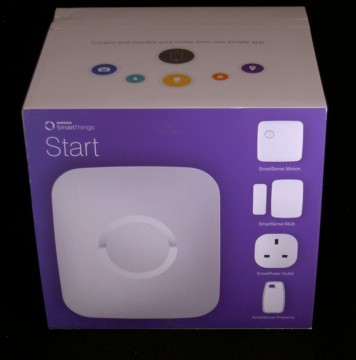

My previous unboxing post covers the SmartThings hardware so I’m not going to labour that side too much; if you want to see what the SmartThings look like, review the post or the YouTube video below.

Samsung’s SmartThings app is really where it all happens and while comprehensive, it can be a little overwhelming. It’s worth taking some time to get the way Samsung thinks into your own head, before delving into some of the more complicated features. Simply, there are Locations, typically your home, with Rooms full of (Smart)Things. Things can be observed or controlled independently or Routines can be setup to control Things based on information from other Things.


Some Things can show state such as whether a door is open or closed, how warm or cold a room is, or how much power is being consumed through a plug. Some Things can carry out actions, e.g. turn a light on or off, or lock or unlock a door. Currently Samsung SmartThings are available for motion, temperature, moisture, presence, power and door state but there’s a whole ecosystem of products from other vendors that can be integrated.
This video shows how the power sensor can be used to measure power and turn off devices remotely.

It’s the Routines that really put the smarts into the smart home. For example, a Routine might say that if motion is detected by one sensor, then turn on a light. Going a step further, I have a routine that once everyone has been out of the house for 10 minutes, it turns off two power sockets and some lights. Even better, a second routine comes into play that turns everything back on when people come back to the house.


To some extent this is theoretical in that I didn’t have smart door, but I do have Philips Hue which joined into the SmartThings ecosystem without any problems at all.
If the main SmartThings app isn’t enough for your needs, there’s an ecosystem of plug-in SmartApps that can extend the feature set. I used one called “Notify Me When” to send me a message when my fridge door was left open for more than two minutes. You can see the setup in this video.

Returning to my initial premise of “Everyone has to understand how it works to take advantage of it”, what did I find? Actually, everything worked so well that my family didn’t really need to know much once I had setup the routines. One big plus was my wife liked getting a notification that I was home as it meant I had picked up the children on my way.
To some extent the early success of SmartThings in our home has been the quick wins. One thing missing from the SmartThings starter kit is a camera, so at present if I do get an alert from the house when I’m out, there’s nothing I can do to see what’s going on.
The next big step would be in heating and boiler control – why heat the house when there’s no-one around? I’d like to integrate my existing interconnected fire alarm too but I don’t really want to rip it out and replace with, say, Nest, so I’ll be looking for a homebrew solution where I can add a device that picks up the alarm signal on the interconnect and then passes that along to the SmartThings Hub.
Overall, I’ve been impressed with Samsung’s SmartThings. It’s worked well, with no major issues and only a couple of minor glitches. The Starter Kit is priced at GB£199 or US$249 (the contents are slightly different) so it’s not a trivial investment, especially if joined to a Philips Hue. However, I love it.
Thanks to Samsung SmartThings and The Insiders for the Starter Kit.