Keep Your Desk Tidy with the Logitech MK470 Keyboard and Mouse Slim Combo
Andrew
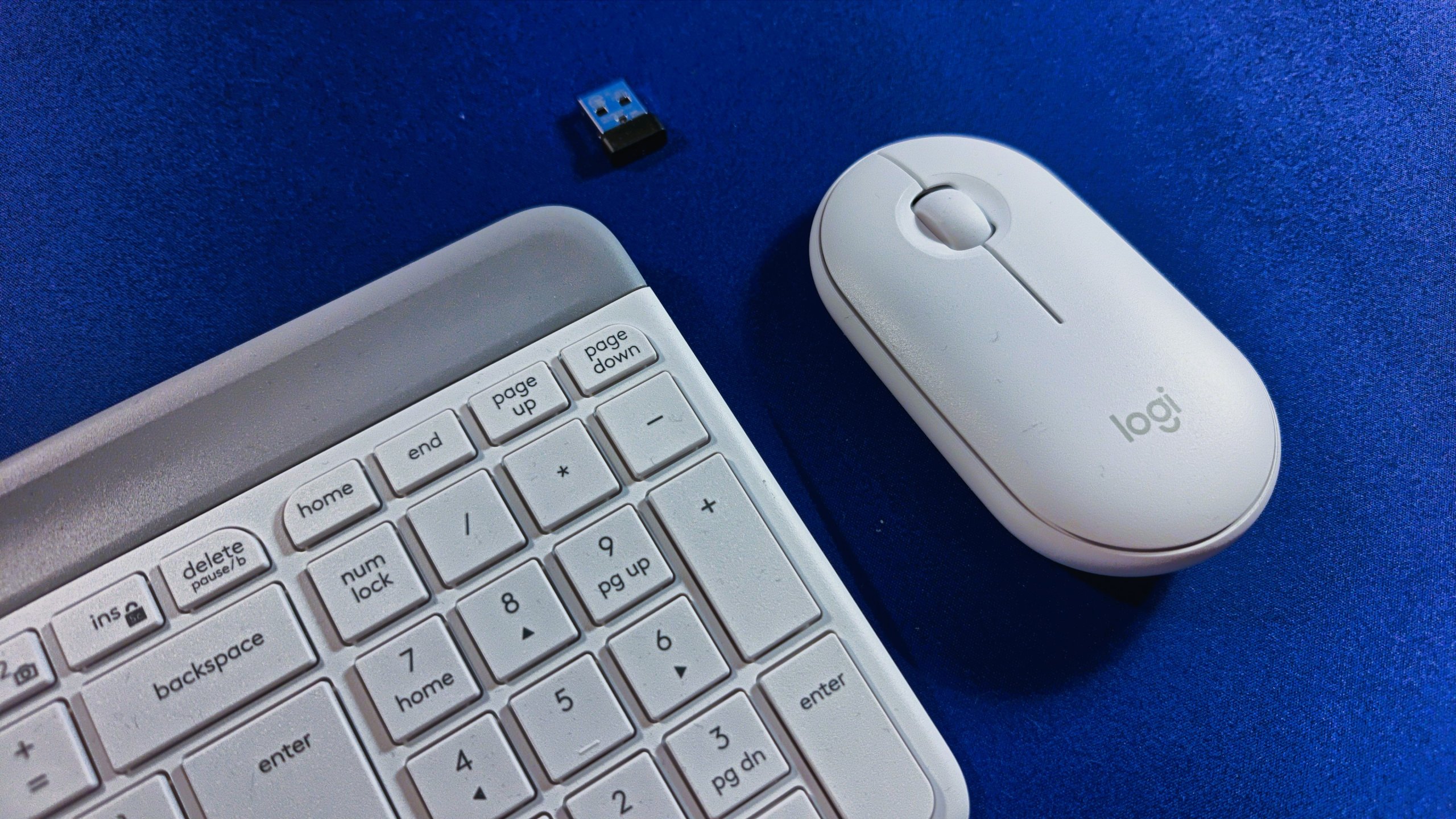
It’s become increasingly competitive for desk space at my house as the children have grown older and need room for homework (and gaming) in addition to both my wife and I working from home a few days a week. I’ve often come back to find my preferred work location already occupied. To ease the overcrowding and stop the complaining, I’ve setup a USB C-based docking station so that laptops and tablets can use the desk easily. To go with the dock, I’d been looking for a small keyboard and mouse and after some research online, I decided to go with the Logitech Slim Combo MK470. This combo uses a single wireless dongle to connect to both devices and by plugging it into the docking station, it means that every connected computer can take advantage of the keyboard and mouse. There’s no re-pairing required as you’d have to do with Bluetooth devices.
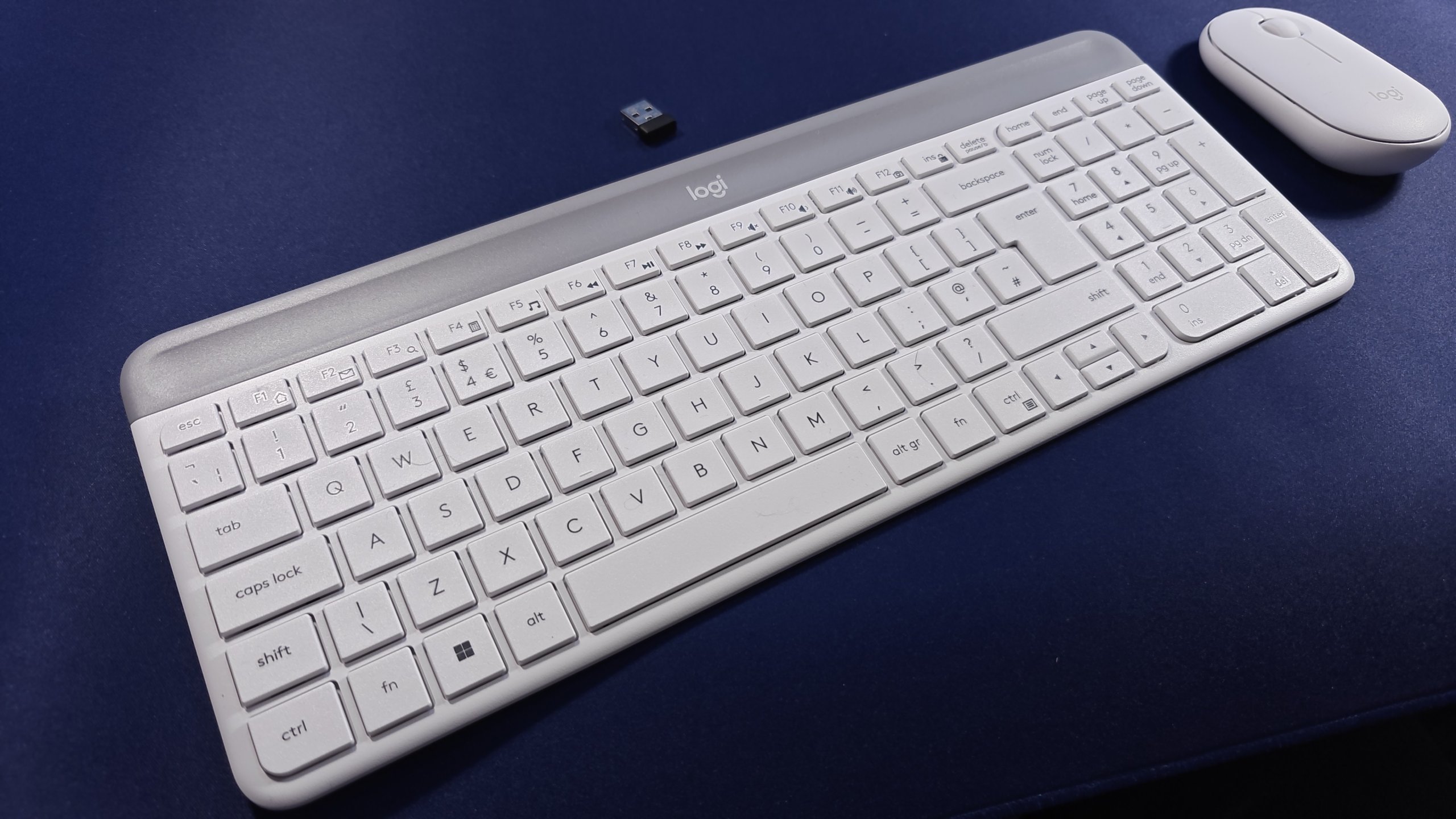
The MK470 Combo consists of the Logi K470 keyboard paired with the M340 mouse: they’re described as a “compact, quiet keyboard and mouse”, and they weren’t far wrong. The set is available in off-white, rose and graphite: as you can see from the photos, I went with the off-white. The keyboard has a compact layout though it includes a numeric keypad and cursor keys. The main change is the tightening up of the space and the redistribution of the group of six dedicated “Ins”, Home”, “Page Up” etc. keys, the top row as an extension of the function keys. It’s aimed at Microsoft users with the dedicated Windows key and the function keys in the top row do double duty as media controls.
In terms of dimensions, my ruler says that it’s 375 mm wide and 145 mm deep. Compare that with my daughter’s Logitech G213 gaming keyboard which comes in at 450 mm by 220 mm. To be fair, a good chunk of the depth of that keyboard is an integrated wristrest but it’s still way smaller overall.
What I do like about the keyboard is that the keys themselves are largely full size which works for my big fingers. Further, it’s very similar in layout and spacing to my Surface laptop’s keyboard making switching between the two very easy as I don’t have to relearn my finger positioning. There is a bit of weight to the keyboard (560 g) which means that it largely stays where it’s put and doesn’t slide around the desk. In other good news a pair of AA batteries are included. The stated battery life is supposed to be around 36 months but obviously that depends on how much typing you do and the quality of the AAs. I do like the look of the keyboard as well: the curves around the edge of the keyboard are reflected in the curved outer keys
When it comes to the mouse, it’s basic but functional and in keeping with the keyboard. There’s only the two left/right mouse buttons plus the scroll wheel and its button, along with an on/off switch on the underside. It is a relatively small mouse with pleasant curves and you’re definitely gripping it with the fingers rather than the whole hand. The button action is positive and you know when you’ve clicked. It’s not going to be suitable for a hard-core gamer where you’re using the mouse solidly, but for day-to-day office work, it seems fine. Battery life on the mouse is 18 months and it takes a single AA
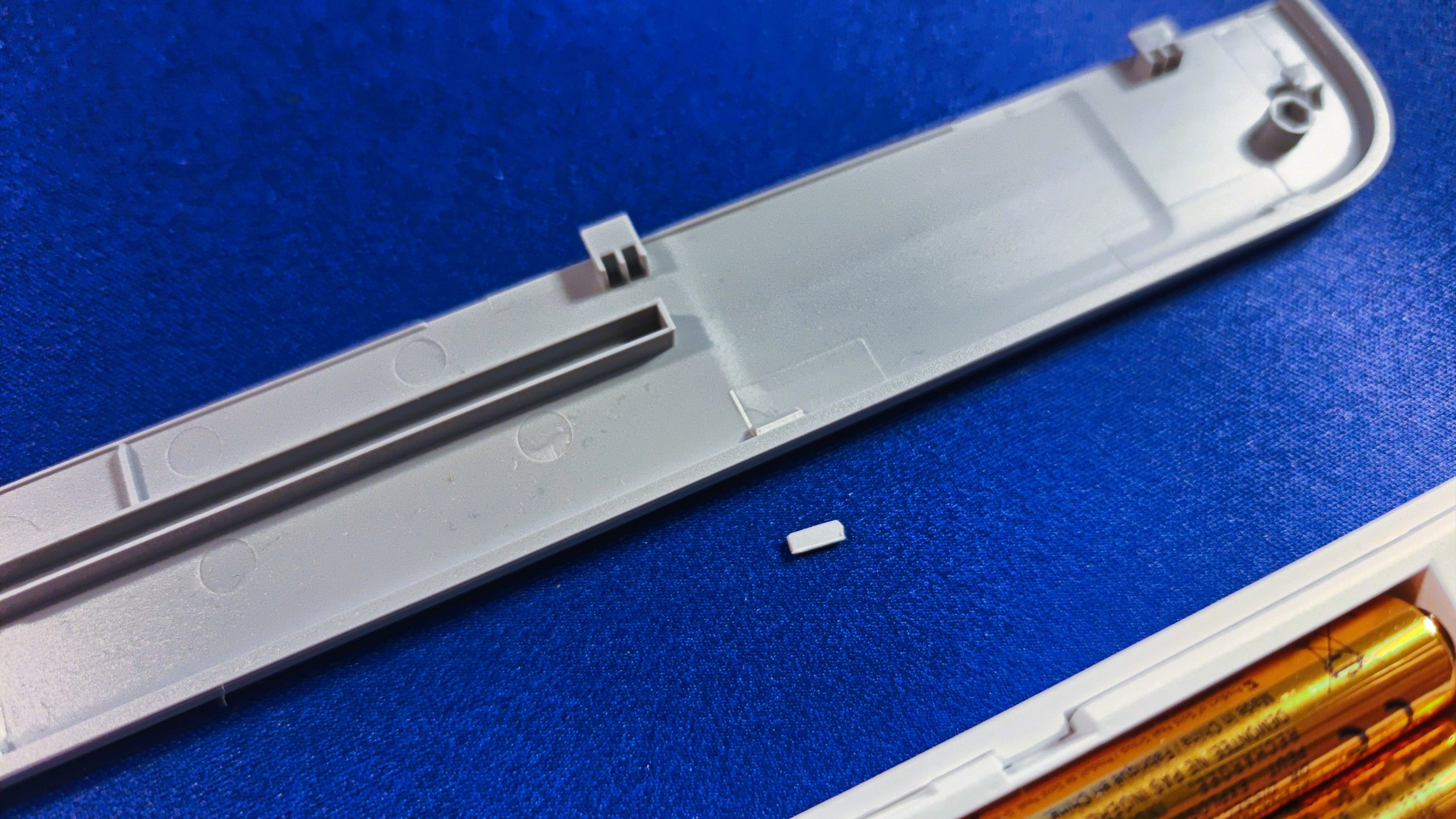
What I’m slightly less impressed with is the dongle & battery compartment on the keyboard and accessing it. It’s under the grey strip at the top and the instructions say that it should simply push off towards the top. In the process of doing this only twice, I seem to have broken all the clips along the top edge. In the photo, those little whitish rectangles are where a clip has either folded over or has broken off completely. Fortunately, the grey strip is held in place by different connectors at each end but overall it’s a pretty rubbish design that could easily be improved. In comparison, the top of the mouse is held in place magnetically which avoids any chance of damage.
Pricewise the MK470 comes in at an RRP of UK£44.99 but there are frequent offers and sign-up bonuses so you should be able to spend less (I did). Overall, I’m happy with the purchase as it meets the needs and works well with the computers and tablets I’ve connected up. However, the design of the clips on the battery compartment strip really do need improved and I’m a bit disappointed that it was so easy to break them.